
FLOOR-MOUNTED TORQUE SUPPORT
KR009 Floor-Mounted Torque Reaction Arm
Handle high-torque tightening across large work areas with the KURAN KR009. Its floor-mounted structure combines articulated reach with vertical tool travel to access fastening points at different heights. Choose a configuration with up to 5000 Nm torque capacity and a 5 m working radius, with optional position detection for integration with the KR002 controller.
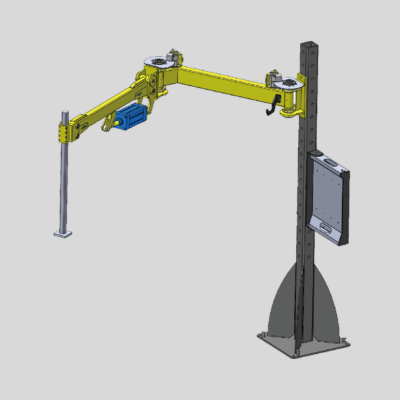
- Torque Capacity
- Up to 5000 Nm
- Working Radius
- Up to 5 m
- Effective Load Capacity
- Up to 200 kg
- Position Detection
- Optional XY / XYZ
Specifications vary by configuration.
PRODUCT VIDEO
See the KR009 in Action
Watch the KURAN KR009 product video for a closer look at this floor-mounted torque reaction arm.
WORKSTATION FIT
Is the KR009 Right for Your Workstation?
Consider the KR009 when your tightening application requires floor-mounted tool support, high torque capacity, and access to fastening points across a large work area.
Floor-Mounted Tool Support
Position the arm beside the workpiece when a floor-mounted support arrangement better suits your workstation layout.
High-Torque Tightening
Select from standard torque ratings of 500, 1000, 2000, and 5000 Nm to match your tightening requirements.
Extended Working Reach
Reach fastening points across larger work areas, with standard configurations offering working radii from 2.5 to 5 m.
Fastening at Different Heights
Use vertical tool travel to access higher and lower fastening points within the selected configuration’s working range.
Torque capacity, working radius, and vertical travel vary by configuration. Confirm reach against your fastening-point layout.
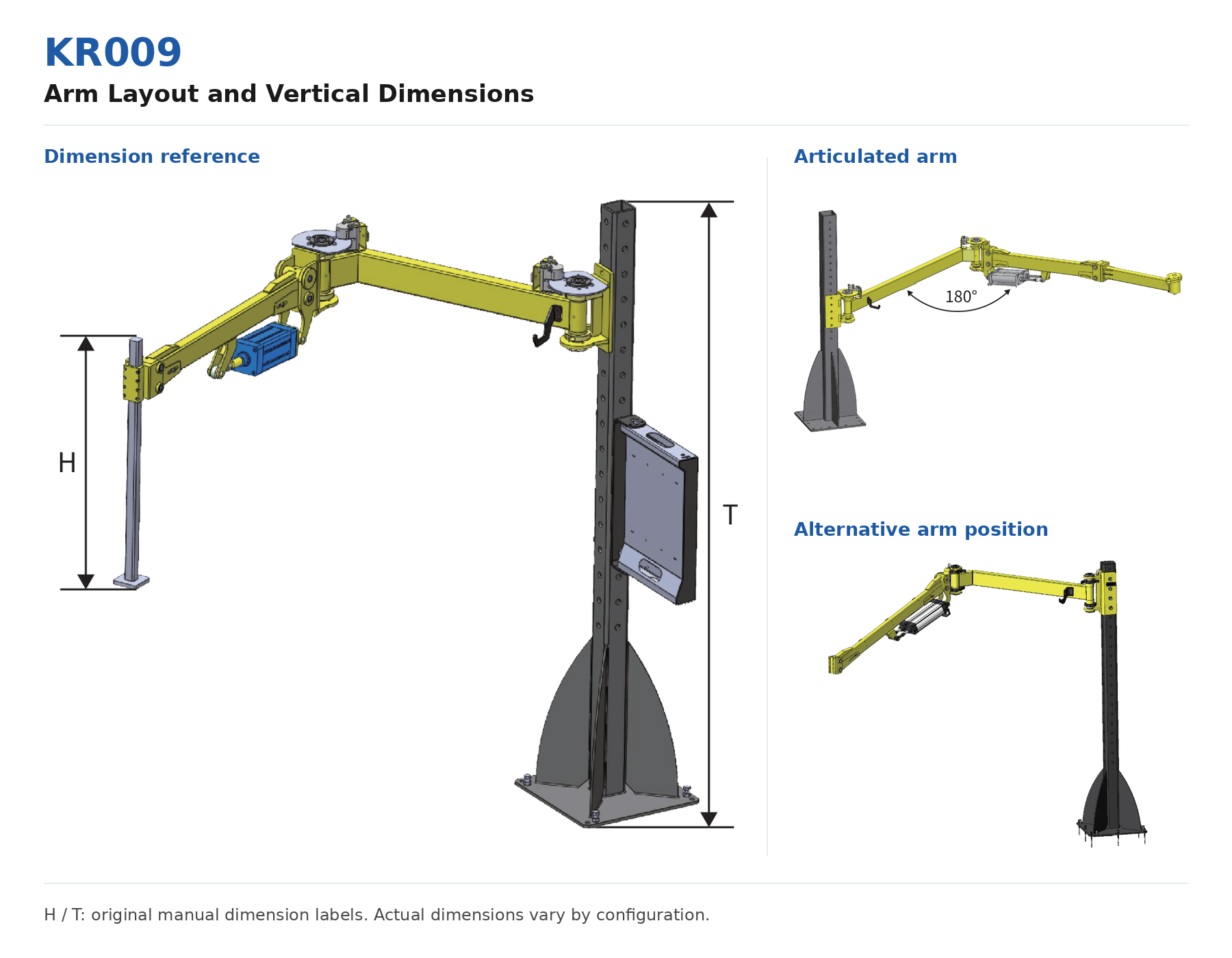
REACH & LAYOUT
Working Reach and Vertical Travel
Check the KR009’s working radius, vertical travel, and overall height against your workstation layout to select a configuration that can reach your fastening points.
- Maximum Working Radius 2.5–5 m
- Check the column location against the distribution of your fastening points to select a suitable reach.
- Z-Axis Travel 1000–2000 mm
- Match the vertical travel to your fastening-point heights and confirm the usable tool-height range.
- Overall Height 2.7 or 3.0 m
- Check overhead clearance and nearby equipment when planning the floor-mounted column position.
Confirm Arm Direction and Clearance
Select the left- or right-folding arrangement to suit your workpiece and operator access. Check joint movement, tool dimensions, and obstacles when confirming whether each fastening point is reachable.
CONFIGURATION GUIDE
Choose Your KR009 Configuration
Match your tightening torque, supported load, and fastening-point layout with a suitable KR009 configuration. Then confirm position detection, balance type, and arm folding direction with KURAN.
-
01
Torque and Supported Load
Confirm your maximum tightening torque and the total load the arm needs to support, including the tool and supported end components.
Standard torque ratings
500 / 1000 / 2000 / 5000 Nm
Check the load limit for the selected model.
-
02
Working Radius and Vertical Travel
Check the distance and height of each fastening point relative to the planned column position. Select a standard configuration that covers your layout.
Maximum working radius: 2.5–5 m
Z-axis travel: 1000–2000 mm
Torque, radius, and travel are linked in the standard models.
-
03
Position Detection
Decide whether your workstation requires position detection. For positioning applications, confirm the sensor configuration and KR002 controller integration.
N: No sensors
M: XY position detection
MZ: XYZ position detection
-
04
Balance Type and Arm Direction
Confirm the balance type and folding direction to suit your workpiece position, operator access, and surrounding equipment.
G: Pneumatic balance
H: Rigid balance
L / R: Left- / right-folding arm
Understanding the Model Code
KR009-GM-500R2500
- KR009
- Floor-mounted torque reaction arm
- G
- Pneumatic balance
- M
- XY position detection
- 500
- Maximum torque: 500 Nm
- R
- Right-folding arm
- 2500
- Horizontal arm radius: 2500 mm
Configuration availability: The manual’s standard specification table lists GN and GM models. Other code options, including MZ and H, as well as custom dimensions, require confirmation with KURAN. Confirm the complete configuration before ordering.
STANDARD MODEL DATA
KR009 Technical Specifications
Compare the standard KR009 models by torque capacity, effective load, working radius, overall height, and Z-axis travel to find a configuration that suits your workstation.
Swipe or scroll horizontally on smaller screens.
| Model | Max. Torque Nm | Max. Effective Load kg | Max. Working Radius mm | Overall Height m | Z-Axis Travel mm | Position Detection |
|---|---|---|---|---|---|---|
| KR009-GN-500R2500 | 500 | 60 | 2500 | 2.7 | 1000 | None |
| KR009-GM-500R2500 | 500 | 60 | 2500 | 2.7 | 1000 | XY |
| KR009-GN-1000R3000 | 1000 | 80 | 3000 | 2.7 | 1500 | None |
| KR009-GM-1000R3000 | 1000 | 80 | 3000 | 2.7 | 1500 | XY |
| KR009-GN-2000R4000 | 2000 | 90 | 4000 | 2.7 | 2000 | None |
| KR009-GM-2000R4000 | 2000 | 90 | 4000 | 2.7 | 2000 | XY |
| KR009-GN-5000R5000 | 5000 | 200 | 5000 | 3.0 | 2000 | None |
| KR009-GM-5000R5000 | 5000 | 200 | 5000 | 3.0 | 2000 | XY |
Model codes: G denotes pneumatic balance. N denotes no sensors, and M denotes XY position detection, based on the manual’s model code guide. The listed models use the R right-folding arrangement.
Configuration limits: Each row represents a standard configuration. Torque capacity, load capacity, working radius, and vertical travel should be assessed together.
Other configurations: MZ position detection, H balance type, left-folding arrangements, and custom dimensions require confirmation with KURAN.
TOOL & CONTROL INTEGRATION
Tool Compatibility and Position Control
Configure the KR009 around your tightening tool and positioning requirements. KURAN can help confirm the tool connection, end components, and optional KR002 controller integration.
Tool Connection and Custom End Components
Match the KR009 with a suitable tool adapter or custom end component. Share your tool information so KURAN can confirm the connection and supported load.
Tool interface: Tool model, dimensions, and available mounting features.
Supported load: Tool weight and the weight of supported end components.
Working requirements: Maximum tightening torque and required tool orientation.
Optional Position Detection with KR002
The KR009 can work with the KR002 controller and positioning software when equipped with the appropriate sensors. Confirm the positioning requirements and controller arrangement for your workstation.
M configuration: XY position detection.
MZ option: XYZ position detection; configuration availability requires confirmation.
System integration: Confirm sensor connections, positioning software, and the required KR002 controller setup with KURAN.
Tool compatibility, sensor configuration, and controller integration must be confirmed for the intended application.
INSTALLATION PLANNING
Installation and Layout Planning
Plan the KR009 column position around your workpiece, fastening points, and operator access. Share your site layout with KURAN to confirm the mounting requirements and usable working range before installation.
Floor and Mounting Conditions
Confirm the floor structure, available base space, and fixing conditions at the proposed installation location. Foundation and anchoring requirements must follow the installation details for the selected configuration.
Column Position and Reach
Provide the workpiece dimensions and fastening-point locations, including their heights. Check that the planned column position allows the selected arm configuration to reach every required working point.
Clearance and Operator Access
Review the arm’s movement envelope, overhead clearance, nearby equipment, and operator routes. Allow sufficient space for tool movement, daily operation, and maintenance access.
Air Supply and System Connections
For G pneumatic-balance configurations, confirm the available air supply. If position detection is included, plan the controller location and cable routing. Obtain the specific connection requirements from KURAN.
Prepare Your Layout for Review
To review your layout, send KURAN a workstation drawing or site photos, workpiece dimensions, fastening-point locations, and tool specifications.
Frequently Asked Questions
Find answers to common questions about KR009 capacity, working reach, tool compatibility, positioning, and installation.
No. 5000 Nm and a 5 m maximum working radius apply to the corresponding 5000 Nm standard configuration. Other standard models have maximum torque ratings of 500, 1000, or 2000 Nm, with different load capacities, working radii, and Z-axis travel.
Check all specifications in the selected model’s row rather than combining maximum values from different models.
Maximum working radius alone does not guarantee access to every point within that radius. Actual reach depends on the column position, joint movement, fastening-point heights, tool orientation, and surrounding obstacles.
Share your workstation layout and fastening-point locations with KURAN to confirm coverage for the intended application.
Both use the G pneumatic-balance configuration. N denotes no sensors, while M denotes XY position detection. GN and GM models with the same torque and radius code share the listed mechanical specifications in the manual.
For a GM positioning application, confirm the required KR002 controller and positioning software setup with KURAN.
The manual’s model code guide includes MZ for XYZ position detection. However, its standard specification table lists GN and GM models, so the availability and specifications of an MZ configuration require confirmation.
KURAN can review your positioning requirements and confirm the sensors, KR002 controller, and positioning software needed for the application.
Provide the tool weight and the weight of any supported adapters or end components. Compare the required load with the maximum effective load of the selected model, and ask KURAN to confirm suitability for the intended tool arrangement.
The standard configurations list maximum effective loads of 60, 80, 90, and 200 kg. These values correspond to different models; 200 kg is not the capacity of every KR009.
Compatibility needs to be checked against your tool’s interface, dimensions, weight, maximum torque, and working orientation. A suitable KR005 tool adapter or custom end component may be required.
Send KURAN the tool model, technical specifications, and mounting drawings or photos to confirm the connection.
The manual indicates that arm dimensions and torque requirements can be customized. Its model code guide also includes L for left-folding and R for right-folding arrangements.
Share the required reach, workpiece layout, torque, and load with KURAN. The available configuration and its final specifications must be confirmed for your application.
Prepare a workstation layout or site photos, floor information, workpiece dimensions, fastening-point locations, and tool specifications. Check overhead clearance, arm movement space, and operator access.
Obtain the mounting and anchoring requirements for the selected configuration from KURAN. For pneumatic balance, confirm the air supply; for position detection, confirm the controller connections and cable routing.
Configure Your KR009 Workstation
Share your tool model, maximum tightening torque, total supported weight, and fastening-point layout, including distances and heights from the planned floor mounting position. KURAN will help recommend a suitable arm configuration, tool connection, and position-detection options. If some details are unknown, send the information you have.